
Ulysses Ludwig’Blog
Creating a State Service Database for SharePoint 2010 Using Windows PowerShell
Problem
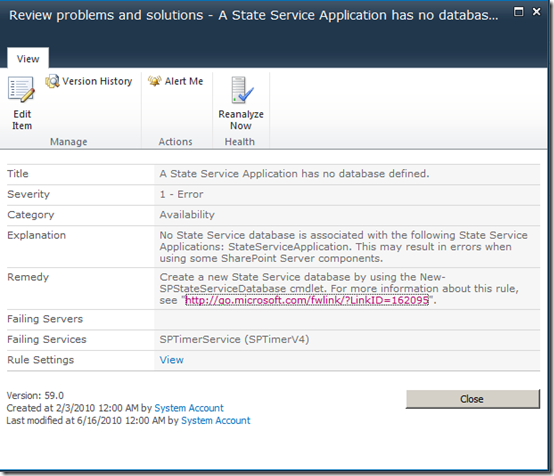
SharePoint health analyzer states that the state service is missing its databse.
Solution
Create the state server database by following the steps below
1) Login to SharePoint farm member server under the credentials of a farm administrator
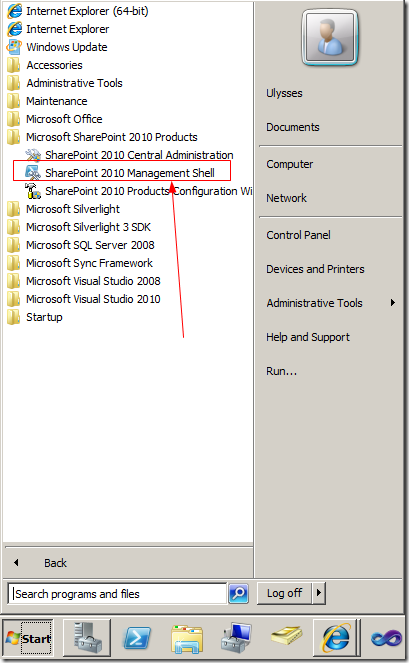
2) Open “SharePoint 2010 Management Shell (don’t just open PowerShell)
NOTE: If you receive the “The Local Farm is Not Accessible” error see the following article: http://www.sharepointassist.com/2010/01/29/the-local-farm-is-not-accessible-cmdlets-with-featuredependencyid-are-not-registered/
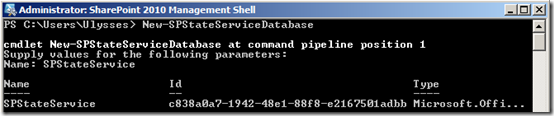
3) Run the following command
PS C:\New-SPStateServiceDatabase
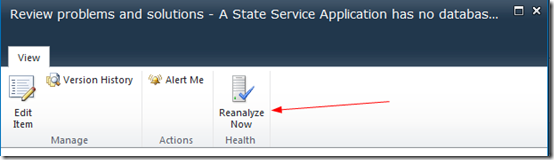
4) Verify that the problem has been resolved by clicking the “ReAnalyze Now” button
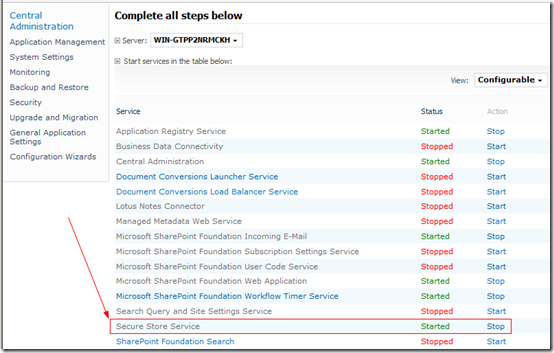
If the problem persists verify that the Secure Store Service has been started
a WordPress rating system
a WordPress rating system
Creating a State Service Database for SharePoint 2010 Using Windows PowerShell,


About the author

Ulysses Ludwig is a SharePoint architect with over 16 years in the IT and computer industry. Ulysses' primary focus is SharePoint but he dabbles in the latest web technologies and likes to develop software in his spare time.
Related Posts
3 Comments for Creating a State Service Database for SharePoint 2010 Using Windows PowerShell
Hi,
when I run the following cmdlt
New-SPStateServiceDatabase -DatabaseServer “SPSQLDEV” -Name “SP_StateService”
I get the following error, can you please help me?
New-SPStateServiceDatabase : Operation is not valid due to the current state of
the object.
At line:1 char:27
+ New-SPStateServiceDatabase <<<< -DatabaseServer "SPSQLDEV" -Name
"SP_StateService"
+ CategoryInfo : InvalidData: (Microsoft.Offic…eDatabaseCmdlet:
NewStateServiceDatabaseCmdlet) [New-SPStateServiceDatabase], InvalidOperat
ionException
+ FullyQualifiedErrorId : Microsoft.Office.Server.Administration.NewStateS
erviceDatabaseCmdlet
a WordPress rating system
a WordPress rating system
It looks to me like the database already exists or you don’t have rights to create the database. Please verify that your app pool account has rights to create the database. Note that since I wrote this post years ago I have started to rely more on the wizard to create the state service database.
a WordPress rating system
a WordPress rating system
Please ignore my earlier question, I found the problem New-SPStateServiceDatabase will not take a SQLalias as -databaseserver name.
http://technet.microsoft.com/en-us/library/ff607677.aspx
a WordPress rating system
a WordPress rating system