THE SHAREPOINTASSIST BULK EDIT TOOL FOR LIBRARIES HAS BEEN RELEASED, PLEASE SEE THE LATEST POST: http://www.sharepointassist.com/2011/04/27/sharepointassist-bulk-edit-tool-for-libraries/ TO PURCHASE OR DOWNLOAD A TRIAL COPY.
This tool allows users to check a list of items perform a bulk edit operation of metadata including field types that are not editable in a datasheet view such Managed Metadata and custom fields.
If you searcedh for “Can’t update managed metadata fields in datasheet view” the you’ve come to the right place.
Using the tool is easy…
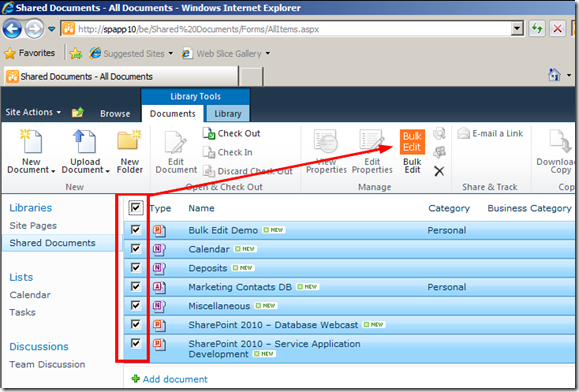
Select the document you’d like to edit and click “Bulk Edit” in the ribbon.
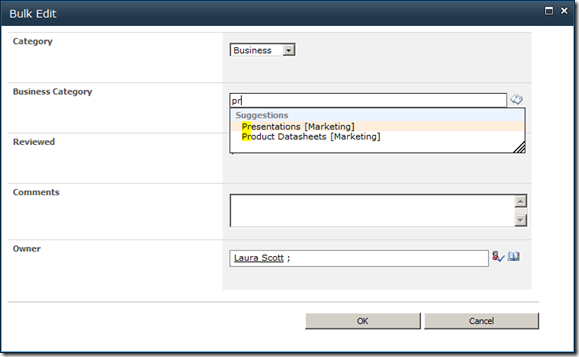
Specify the metadata to apply to the documents
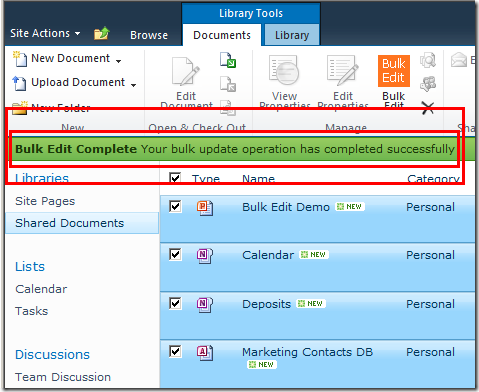
The notification bar will tell you if the operation was successful and will refresh the page after 5 seconds
Review your changes
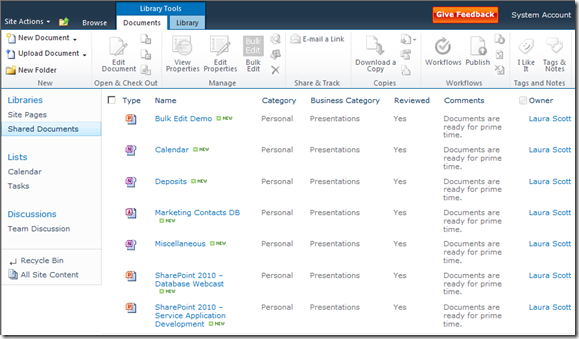
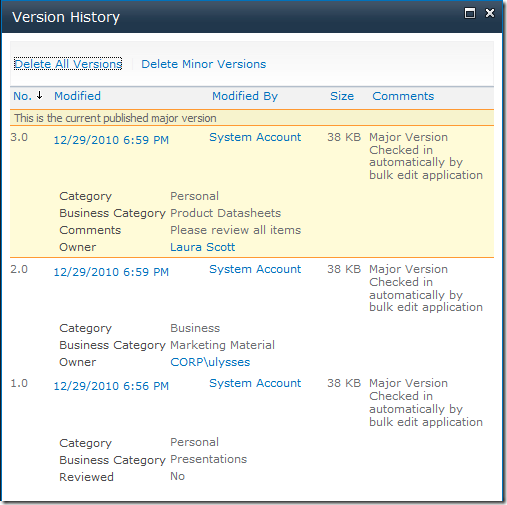
Versioning is maintained and check-in/out is honored
a WordPress rating system
a WordPress rating system
Popularity: 1% [?]